Live vs Self-Paced Coding Classes for Kids: An Honest Comparison
If you have spent more than ten minutes looking for a way to get your child into coding, you have likely run into two very different paths.
On one hand, you have self-paced apps and recorded courses. They are often inexpensive, flashy, and promise that your child can learn “anytime, anywhere.” On the other hand, you have live, instructor-led classes. These require a set schedule and a higher investment, but they promise a real teacher who is there to guide your child in real-time.
As parents, we often find ourselves caught between the convenience of an app and the structure of a classroom. The truth is that both formats have a place in a child’s education. The “best” choice isn’t universal; it depends on your child’s age, their frustration tolerance, and your family’s goals.
In our experience teaching hundreds of students, we have seen that the choice of format often determines whether a child views coding as a fun hobby they stick with or a “chore” they abandon after three weeks. If you’re currently weighing these options, you can book a free trial class to see how our live educators handle the specific challenges your child might face.
What Are Self-Paced Coding Classes?
Self-paced coding platforms (like Tynker, Code.org, or various Udemy courses) are essentially digital textbooks. They provide a series of videos or interactive puzzles that a child works through on their own.
The Pros: Flexibility and Low Cost
The biggest draw for self-paced learning is the price. Many of these platforms are either free or cost less than a monthly streaming subscription. For a parent who isn’t sure if their child will even like coding, this is a low-risk entry point.
Flexibility is the second major win. If your child has a heavy sports schedule or theater rehearsals, being able to log in at 4:00 PM on a Tuesday or 10:00 AM on a Sunday is a massive benefit. There is no “missing class,” and there is no pressure to keep up with a group.
The Cons: The “Stuck” Factor and Low Completion Rates
The downside is one that most parents of self-paced learners know well: the plateau.
Research consistently shows that completion rates for self-directed online courses are remarkably low—often under 10%. Without a teacher to check in, it is very easy for a child to lose interest. More importantly, when a child hits a bug in their code that they cannot solve, the app often just offers the same generic hint over and over. For many kids, this is where the journey ends.
What Are Live Coding Classes?
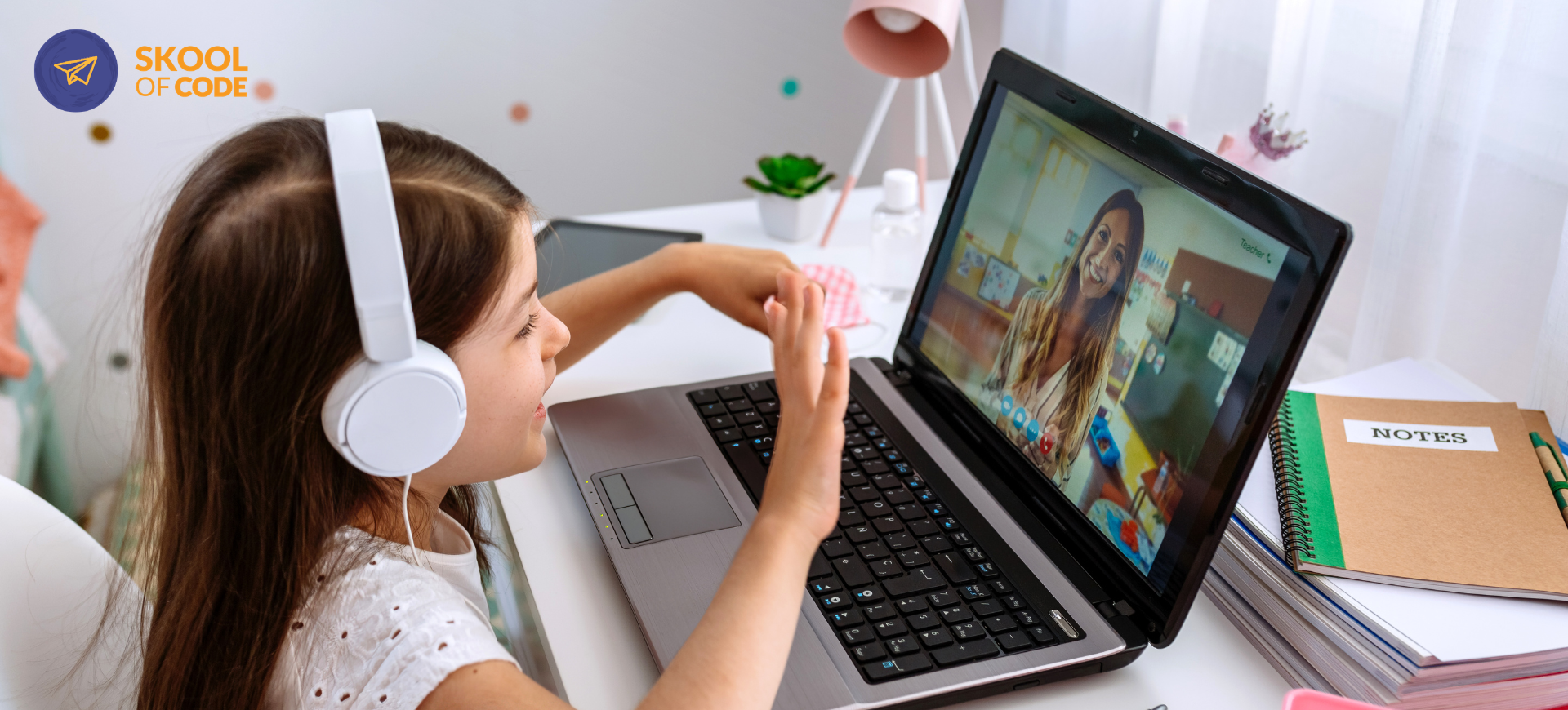
Live classes, like the ones we run at SkoolOfCode, involve a real human instructor teaching a small group or a single student in real-time via video call.
The Pros: Feedback, Accountability, and Unblocking
The primary advantage here is the “feedback loop.” When a child makes a mistake in a live class, the teacher sees it immediately. They don’t just give the answer; they ask the right questions to help the child find the answer themselves.
This format also provides built-in accountability. Knowing that “Teacher Sarah” is waiting for them at 5:00 PM creates a rhythm that apps cannot replicate. It turns coding from an optional screen-time activity into a committed learning path.
The Cons: Scheduling and Higher Investment
Live classes are more expensive because you are paying for an educator’s time and expertise. They also require a commitment to a specific time slot, which can be a hurdle for busy families.
In our guide to coding for 8-10 year olds, we discuss how finding the right balance between structure and play is critical for this age group. Live classes lean heavily into structure, which is often what helps children move past the beginner stages.
Side-by-Side: Live vs Self-Paced Coding Classes for Kids
| Feature | Self-Paced (Apps/Video) | Live (Instructor-Led) |
|---|---|---|
| Cost | Usually low ($0 – $20/mo) | Moderate to High (paying for teacher time) |
| Schedule | 100% flexible | Fixed weekly sessions |
| Feedback | Automated/Generic | Real-time and personalized |
| Accountability | Parent-driven | Teacher-driven |
| Best For | Casual exploration, tight budgets | Serious skill-building, easily frustrated kids |
| Completion Rate | Low (easy to quit) | High (structured progression) |
The “Stuck” Factor: Why Live Feedback Matters
Coding is, by definition, a series of problems waiting to be solved. For a beginner, those problems can feel like brick walls.
We recently had a student in one of our Scratch classes who was trying to build a game where a character would “clone” itself to create an army. It’s a common project, but the logic is tricky. The student had accidentally created a loop where the clones kept making more clones, which eventually froze his entire screen.
In a self-paced app, that child likely would have seen an error message or just a frozen screen and closed the laptop out of frustration. We often see this when parents ask, can my easily frustrated child learn to code?.
In the live class, our educator noticed the student’s screen had gone quiet. Within 30 seconds of screen-sharing, the teacher pointed out the one missing block—”delete this clone”—and explained why the computer was getting confused. The student didn’t just fix the bug; he understood the logic of memory management. That “aha!” moment is the difference between a child who quits and a child who asks, “What can we build next?”
If your child tends to give up when things get complicated, you might find that the easiest way to keep them moving is to book a free trial class and let them experience that real-time support.
Which Format Fits Your Family?
Choose Self-Paced If:
- Your child is highly self-motivated and enjoys solving puzzles entirely on their own.
- You are just “dipping a toe in” and want the lowest possible cost.
- Your schedule is so unpredictable that a fixed weekly time is impossible.
- You are looking for a supplement to an existing class rather than a primary curriculum.
Choose Live Classes If:
- Your child is a beginner and needs help navigating the “frustration gap.”
- You want your child to learn professional habits, like debugging and logical planning.
- You prefer the “set it and forget it” nature of a scheduled class where the teacher handles the motivation.
- Your child thrives on social interaction and likes sharing their projects with others.
Many families find that starting with a free app is a great way to see if the interest is there. However, once a child moves from simple puzzles to building their own games or transitioning from block coding to text-based coding, the need for a mentor becomes clear. We often help parents navigate this transition in our comparison of Scratch vs Python for kids.
The Honest Reality of Learning to Code
Coding is a language. Like learning Spanish or the piano, you can learn the basics from an app, but you gain fluency by interacting with someone who already speaks the language.
Self-paced tools are wonderful for “consumption”—watching a video and copying what the person on the screen does. Live classes are built for “creation”—taking an idea in a child’s head and helping them figure out the logic to make it appear on the screen.
At SkoolOfCode, we don’t believe live classes are the only way to learn, but we do believe they are the most reliable way to ensure a child doesn’t give up before they reach the “fun” part of programming.
If you are tired of seeing half-finished projects on an app or watching your child get frustrated with a screen that won’t talk back, we invite you to see the difference a live teacher makes. Our educators are CS graduates who know how to turn a “bug” into a teaching moment.
Book a free trial class today. Pick a time that fits your schedule, tell us about your child’s interests, and we will match them with an instructor who can help them move past the plateau and start building for real.
— The SkoolOfCode Team
For more information on how we structure our curriculum and support students, visit https://skoolofcode.us.